Learn how to block resources
# Block resources
Optimise performance by selectively blocking unnecessary resources (e.g. images, fonts, media) during automated runs. These settings may reduce bandwidth usage, improve speed and minimise extraneous requests.
⚠️ Blocking certain resources (e.g. Javascript) may cause the webpage to break. Be sure to test your automation after making changes to these settings.
This option should be used with care and should be amongst the first to be disabled if you notice loading issues with any sites that you are automating.
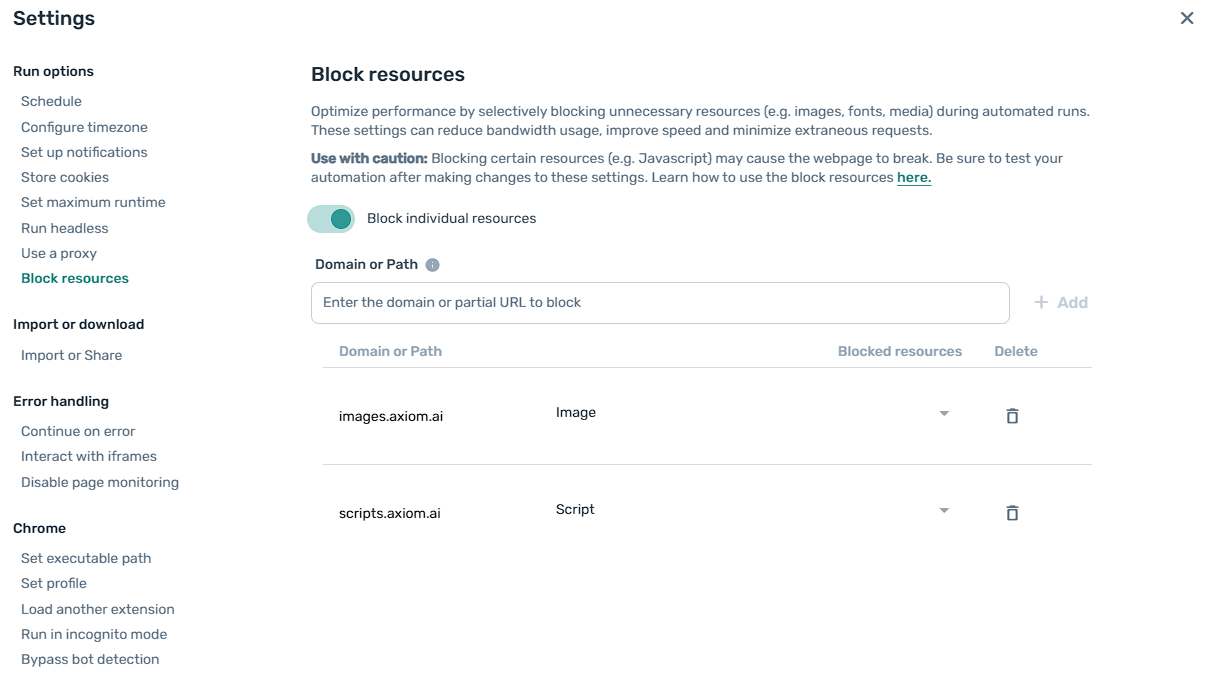
# Supported resource types
Blocking certain resource types carries more of a risk of breaking a webpage than others, such as: document, script, xhr, fetch and websockets. Others may only affect the styling of the page, such as: stylesheet, image, media, font.
IMPORTANT: Stylesheets and Javascript scripts are often used to show or hide content based on set criteria - blocking these resources may hide content that you previously had selected within your automations and may cause your automation to run into errors. Test your automation after changing this setting to ensure that all elements are still present.
| Type | Description |
|---|---|
| document | Main HTML document of the webpage |
| stylesheet | CSS stylesheets |
| image | Images |
| media | Videos and audio |
| font | Webfonts (e.g. WOFF, TTF) |
| script | JavaScript files |
| texttrack | Media texttracks (e.g. subtitles, captions) |
| xhr | XMLHttpRequests (Ajax calls) |
| fetch | Fetch API requests |
| eventsource | Server-sent events (SSEs) |
| websockets | Websocket connections |
| manifest | Web app manifests (manifest.json) |
| other | Any other type not categorised above |